Reshape
Drag a point, click the line to add one, delete one, extend either end, and undo as you go.
Club guide
Who in your club can change what, how the map editor works, and what keeps a change from quietly breaking something.
Editing, importing, reviewing and the club page are free for every club.
A club's map is edited only by people the club has let in. Three steps get a club there.
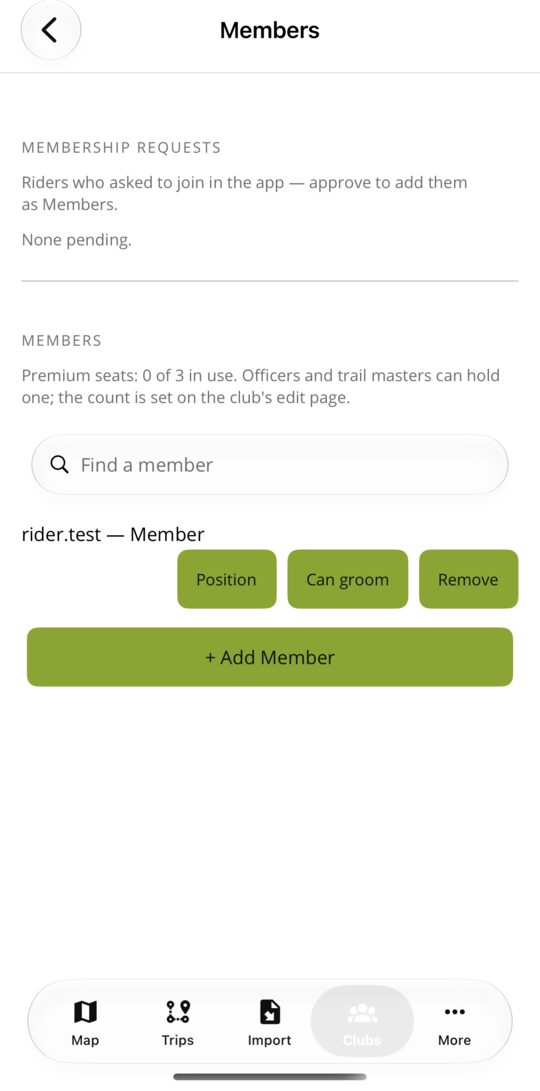
Officers answer join requests, assign board positions and set ranks here, in the app or on the website. A position on the board (President, Trail Master, Director and so on) decides the rank that goes with it, so the roster and the permissions never disagree.
Every club member holds one of three ranks. The club's Officers decide who holds which, and a rank only applies on the trail systems assigned to that club.
| What | Any signed-in rider | Member | Trail Master | Officer |
|---|---|---|---|---|
| Suggest a trail, a correction, a marked stretch, a pin or a photo for the club to review | Yes | Yes | Yes | Yes |
| Draw, reshape, split, join, reverse or delete the club's trails; add and move pins | No | Yes | Yes | Yes |
| Mark a stretch (closures, conditions, hazards), post trail restrictions, publish a pin | No | No | Yes | Yes |
| Apply, adjust or decline what riders send | No | No | Yes | Yes |
| Restore an earlier version of a trail from its history | No | No | Yes | Yes |
| Edit the club's page: description, logo and pictures | No | No | Yes | Yes |
| Manage the roster: answer join requests, assign positions and ranks | No | No | No | Yes |
Open Manage → Trail systems → Edit, or Edit this map on the trail system's page. Changes save straight to the map and go into each trail's history.
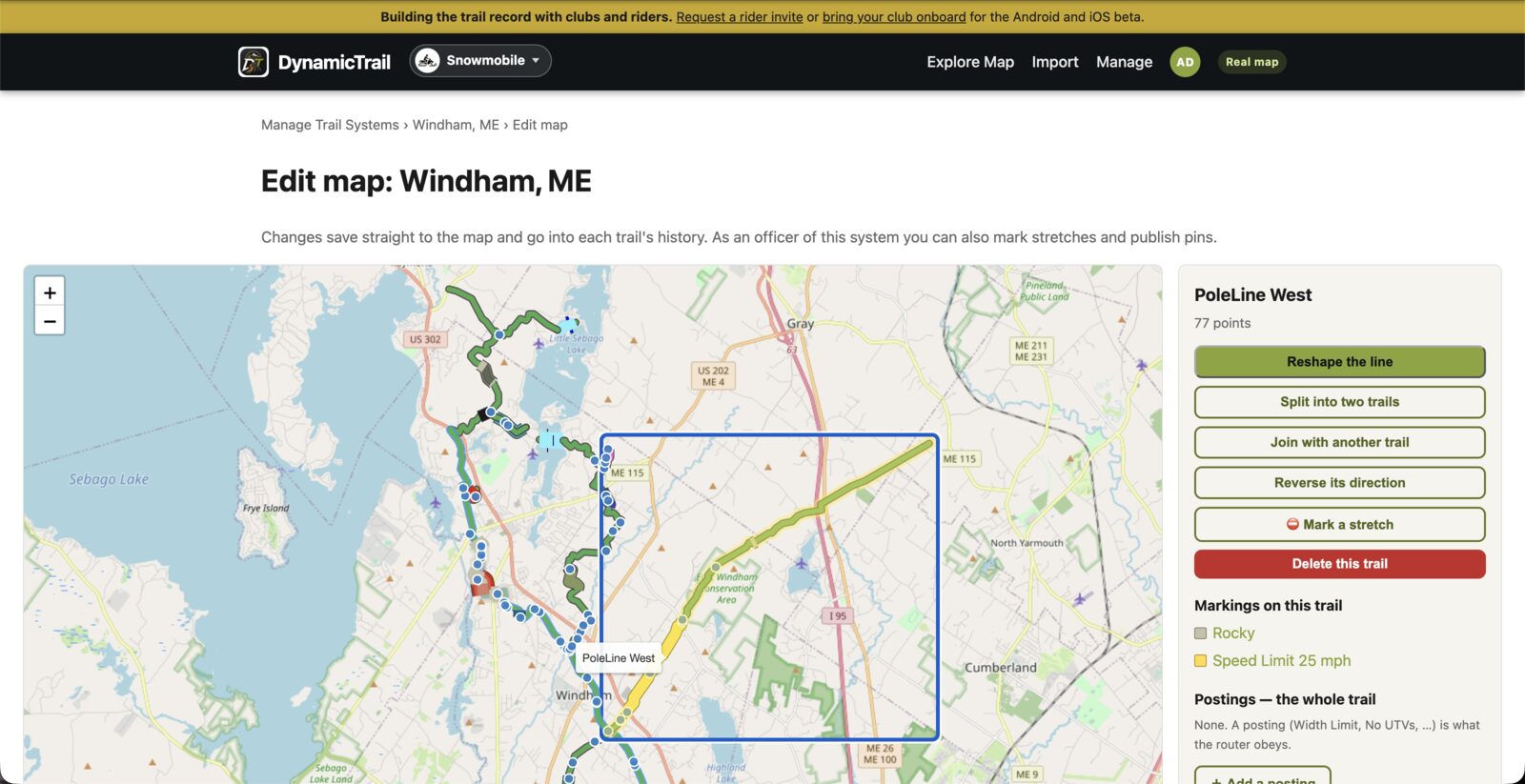
Drag a point, click the line to add one, delete one, extend either end, and undo as you go.
Cut a trail anywhere on the line. Pins and marked stretches go with the half they sit on.
Fuse two trails in the same system whose ends meet within 25 metres into one.
Flip a trail's direction. One-way stretches on it flip with it, so they still point the right way.
Draw a new trail point by point. It lands pending until a Trail Master or Officer publishes it.
Add, move and edit pins. Trail Masters and Officers also mark stretches and set postings like width limits.
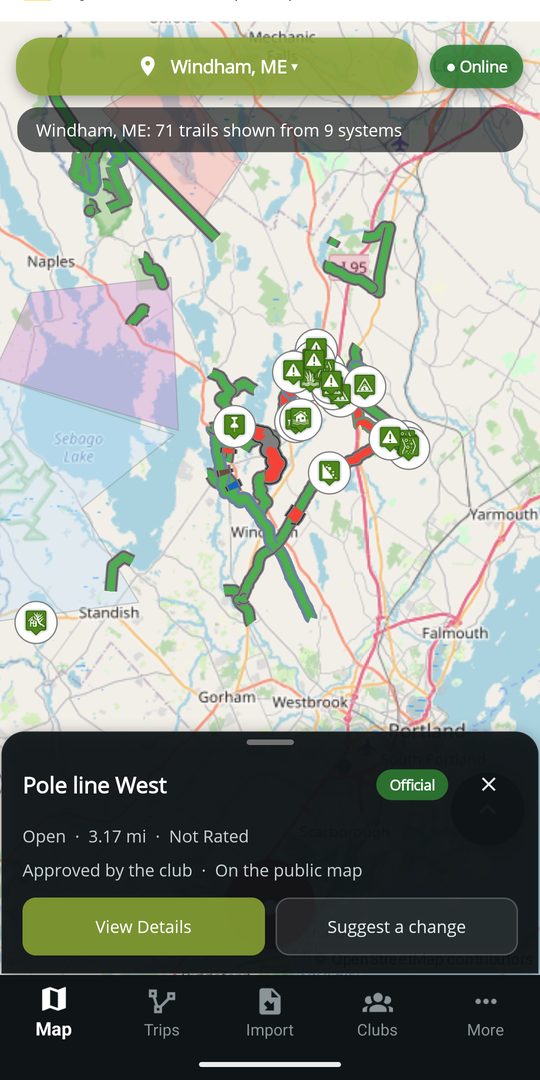
Built for volunteers
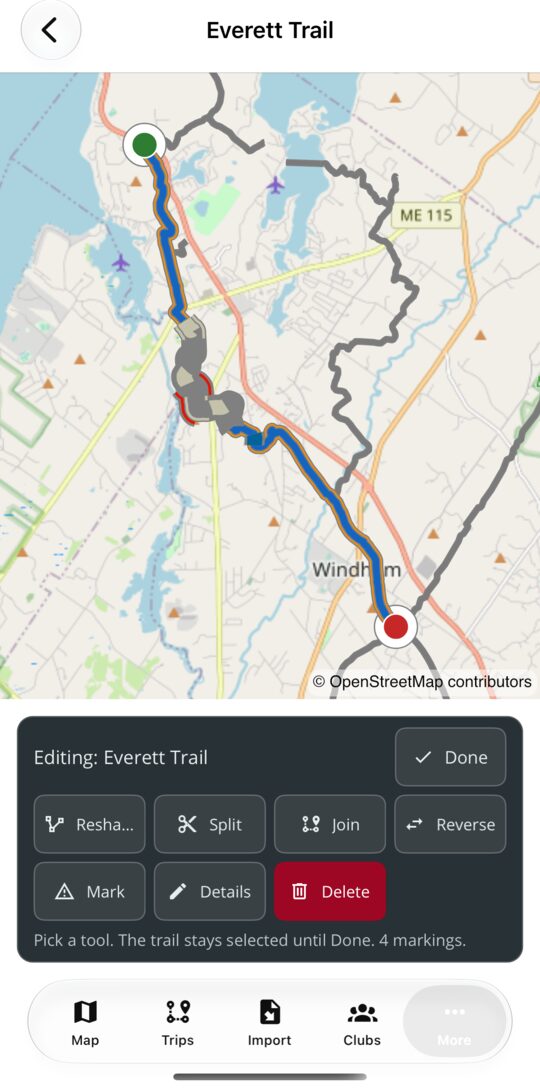
On the phone, pick a trail on the map and one card opens over it: Reshape, Split, Join, Reverse, Mark, Details and Delete. The trail stays highlighted until you are done, and the card offers only what your rank allows.
Open a trail system from More → Trail Systems and choose Trails, waypoints & markings. Tap the map and you get the smallest thing under your finger: a pin, a marking or a trail. + Waypoint drops a new pin, which stays pending until a Trail Master or Officer publishes it.
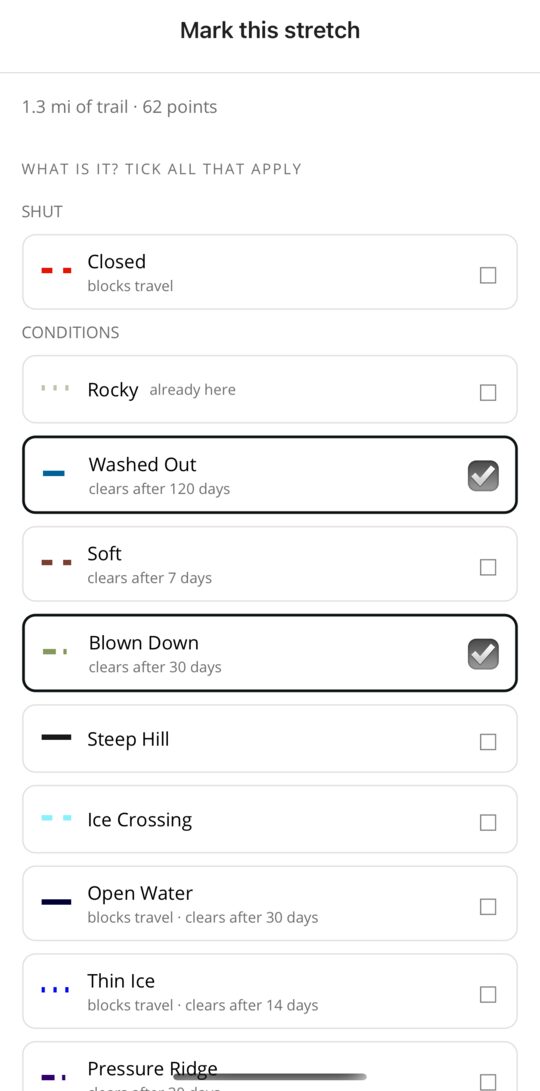
Pick the stretch once and tick every marking that applies. Each carries its own number, direction or hours; the note, the days and the expiry are shared. What each marking does.
Riders do not change your map. They suggest, and the club decides.
A new trail, a correction to a line, a marked stretch, a pin or a photo, with a note for the club.
Members can read the queue. Nothing reaches the published map yet.
See the proposed change beside the current one, then apply it, adjust it or decline it with a reason.
What was decided, and who decided it, stays with the trail.
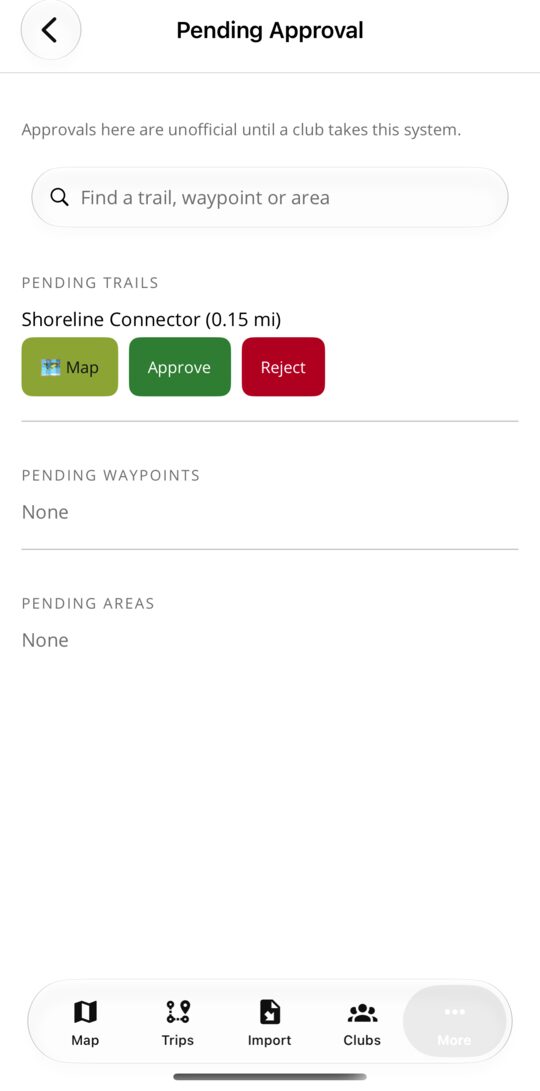
New trails, pins and areas riders have sent, and imported archives, each waiting to be published or declined. On a system no club has taken yet, the same list shows what DynamicTrail published as Unofficial, so the club can vouch for it one row at a time.
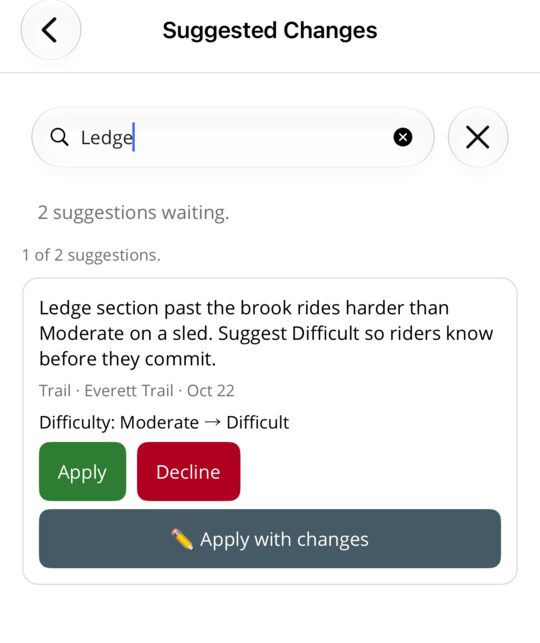
A rider's proposed edit to a trail already on the map, with their note and what would change. Apply it as sent, adjust it first, or decline it with a reason the rider can read.
Trail Masters and Officers can add a logo and up to twelve pictures at Manage → Clubs → Edit. They appear on the club's page on the website and in the app. JPEG, PNG, WebP and HEIC are accepted; a square picture works best for the logo.
Upload a GPX or KML file on the website, or open one in the app, and it opens as a map of its own: every trail and pin in the file, with the whole editor's tool set. Nothing in it is on any map, and nothing reaches the club until you press Send.
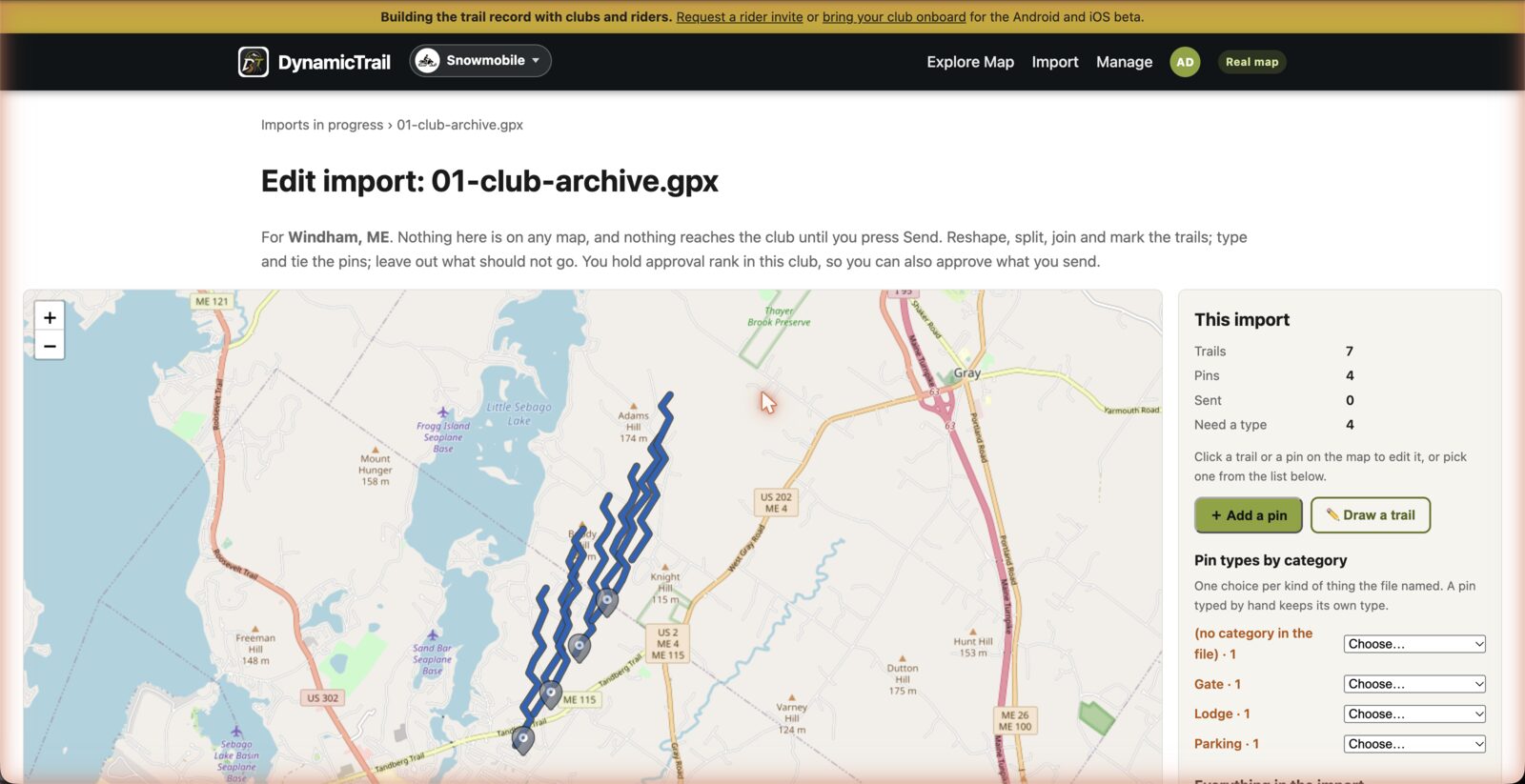
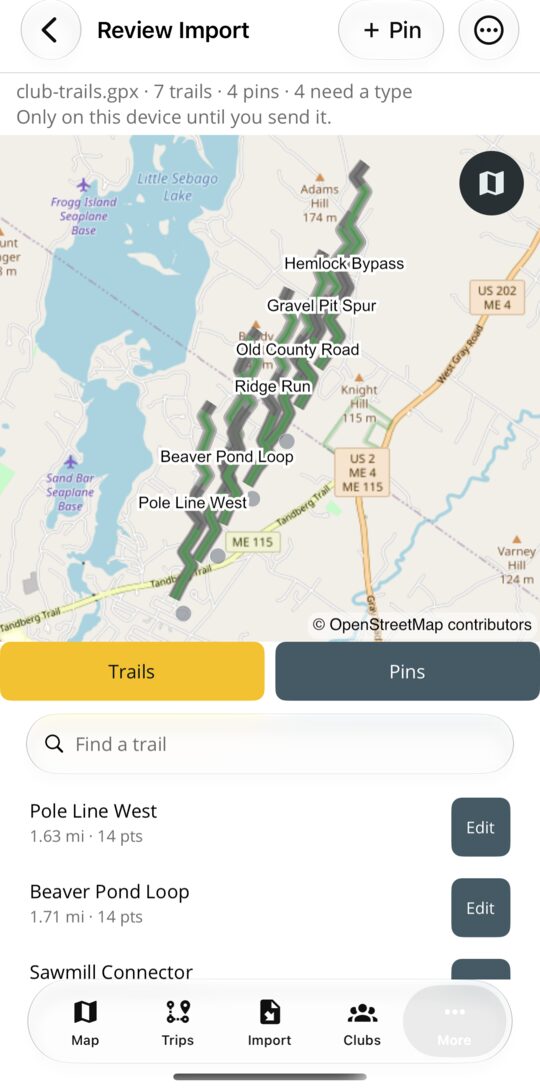
Open the trail system, choose Import GPX / KML, pick the file, and the same map opens. Send everything, or approve it on the spot if you hold the rank.
Every trail, pin and area says where it stands with the club. The wording is the same in the app, on the website and in the car.
Questions
No. Editing the map, importing trail files, reviewing what riders send and the club page are free for every club. Contributing to the map is never paid.
Only by suggesting a change. A rider without standing in your club cannot edit its trails, and nothing they send is published until a Trail Master or Officer applies it.
A club cannot be left without a signed-in Officer: the last one cannot be removed or demoted. Name a successor first, then step back.
Yes. Each trail keeps a history of direct edits, and a Trail Master or Officer can restore an earlier version from it.
They ask from the club's page in the app or from the website, saying which rank they want and who they are. Your Officers see the request and decide.
A marking the club posts is drawn on the map, read by every route a rider plans, and spoken on the ride before they reach it. A closure also reaches everybody watching the system. The map guide lists every marking and what it does.
Maine and New England clubs
Start with your club name. Trail files and towns can follow later.