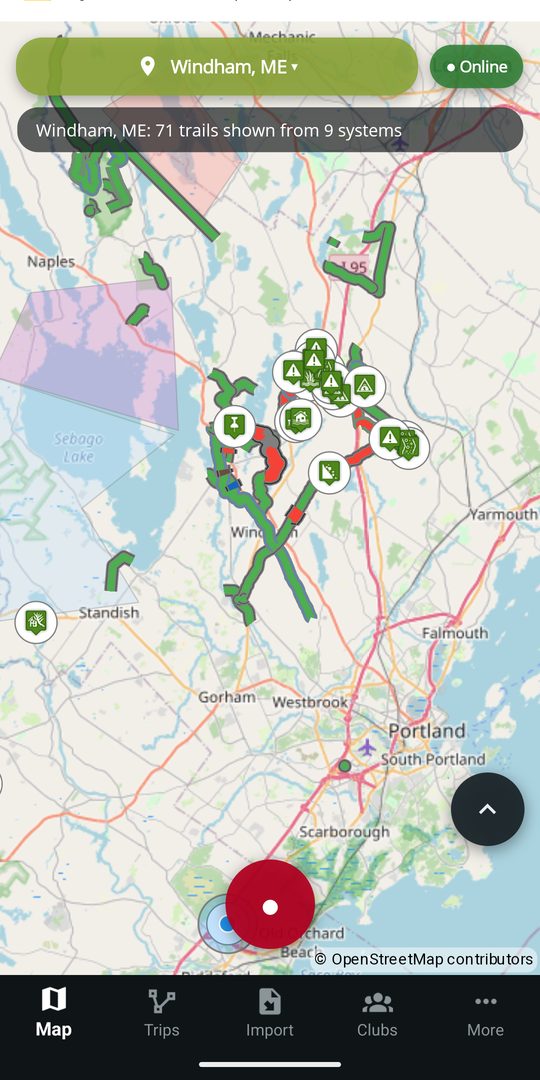
Club-maintained map
See participating trail systems, trail status, difficulty, access details, and the club responsible for the information.
One current trail record
DynamicTrail connects club knowledge and rider observations to the trails they describe, so clubs can keep information official and riders can help keep it current—online or offline.
Android and iPhone release together. CarPlay follows later this year.
For riders
The free rider experience is built on what the club publishes: check the club's current information, plan on trails that fit your ride, understand what prevents a route, navigate without service, and send useful observations back to the club to help the next rider.
See participating trail systems, trail status, difficulty, access details, and the club responsible for the information.
The club attaches a closure, a condition or a rule to the stretch it affects, with the club's note, the source and the update time kept visible. Every marking, and what it does.
Choose your machine, and every route is planned for it. Using the trail data currently loaded, DynamicTrail steers you clear of the club's posted closures, stretches posted against your machine, limits it fails, one-way sections in the wrong direction, seasonal limits, and trails that are not eligible for your ride. A restriction is something you are routed around, not something you meet at the gate. If no route connects, Why no route? identifies what stopped it and shows where. How a route reads the club's markings.
Download a current region before leaving service. The free experience includes one offline region, switchable when needed.
Send a hazard, photo, or proposed edit from the trail. The club responsible gets a clear starting point and decides what to publish; nothing official changes until it does.
Plan routes, record rides, and import or export GPX and KML files. Rider observations can be prepared offline and sent later.
Markings
A club marks the stretch that changed, not the whole trail: the hundred yards that washed out, the ice crossing, the quiet zone past the houses. From that one posting the app decides what to draw, what a route may cross, and what to say out loud on the ride.
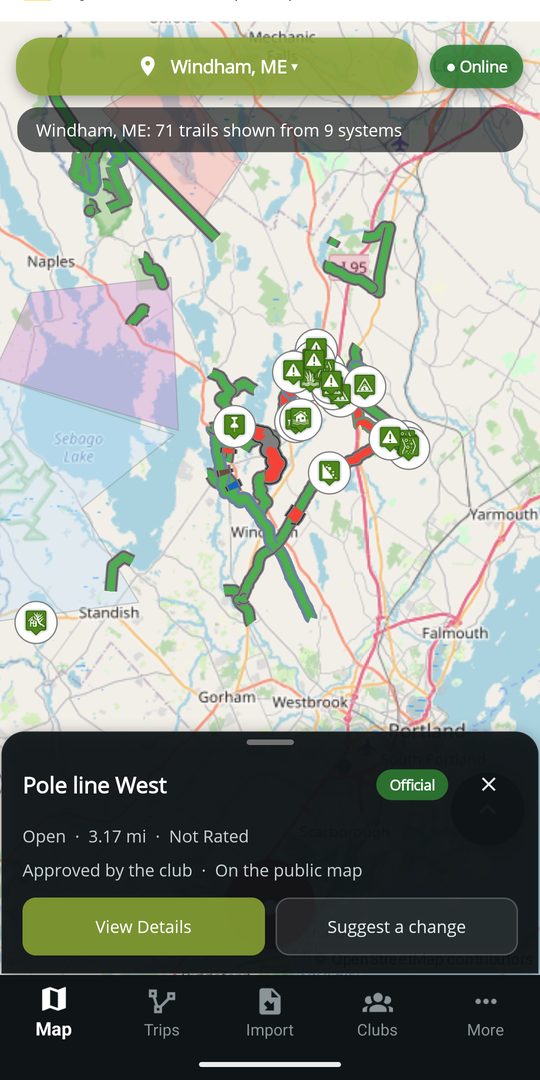
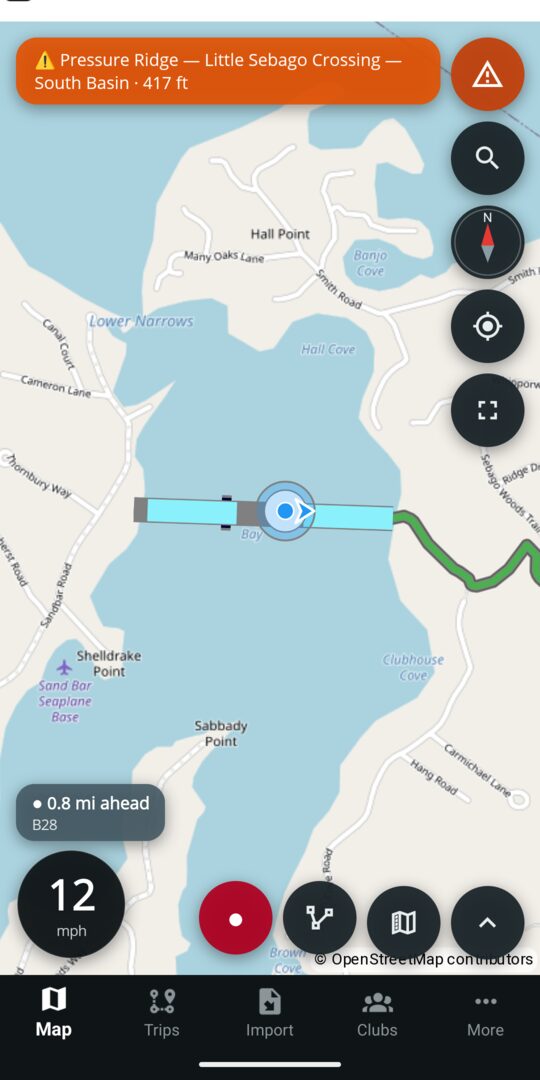
Read the map guide: every marking, the routing rules and the alert rules
Android Auto
DynamicTrail brings the parts of a ride that matter at a glance to Android Auto. Route planning stays on the phone; trail context, ride controls, alerts, and saved-route guidance move to the dash.
From the dash
Route planning stays on the phone; a saved route can be followed from the head unit.
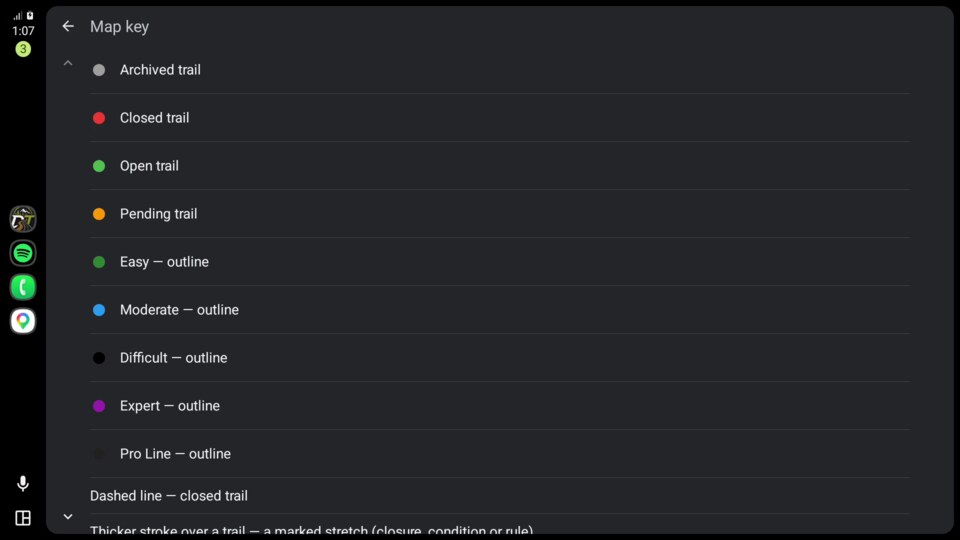
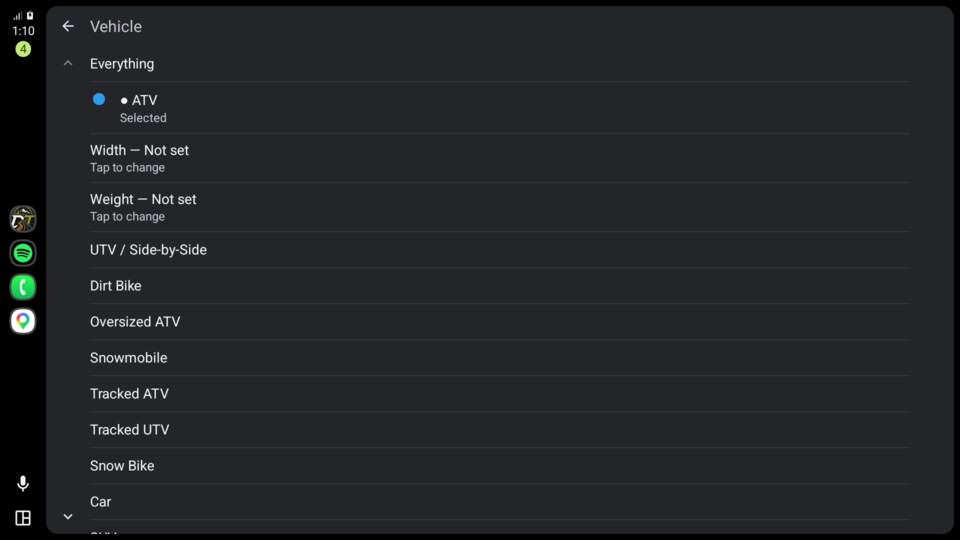
See affected-stretch markings, machine eligibility, the selected machine, and the current ride state on the map.
Keep speed, posted-limit context, the nearest relevant marking, and approach alerts in the driving view.
Follow a phone-planned route with its line, upcoming maneuver, turn card, and spoken directions.
The phone remains the source for location, downloaded map data, and recording, so the in-car view follows the same field-ready model.
Availability: Android Auto is built into the Android release and is an optional Premium capability. Premium is not yet for sale, so no public price is listed. The club map, ride recording, and approach warnings remain part of the free phone experience.
Need Help
When enabled, Need Help lets a rider tell the riders and club officers on the same trail system what happened, what somebody should bring, and where they are. It contacts peers, not a service, and the app is honest at every step about who has been told.
Not 911. This feature notifies peers and club officers only, and no response is guaranteed. Call 911 first for a life-threatening situation. Where data coverage is uncertain, carry a satellite messenger.
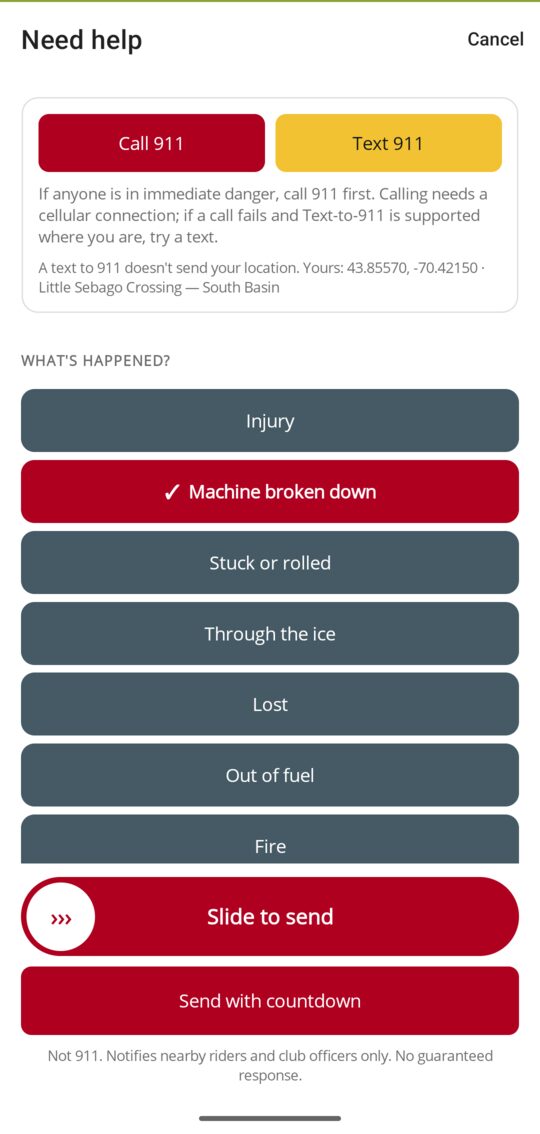
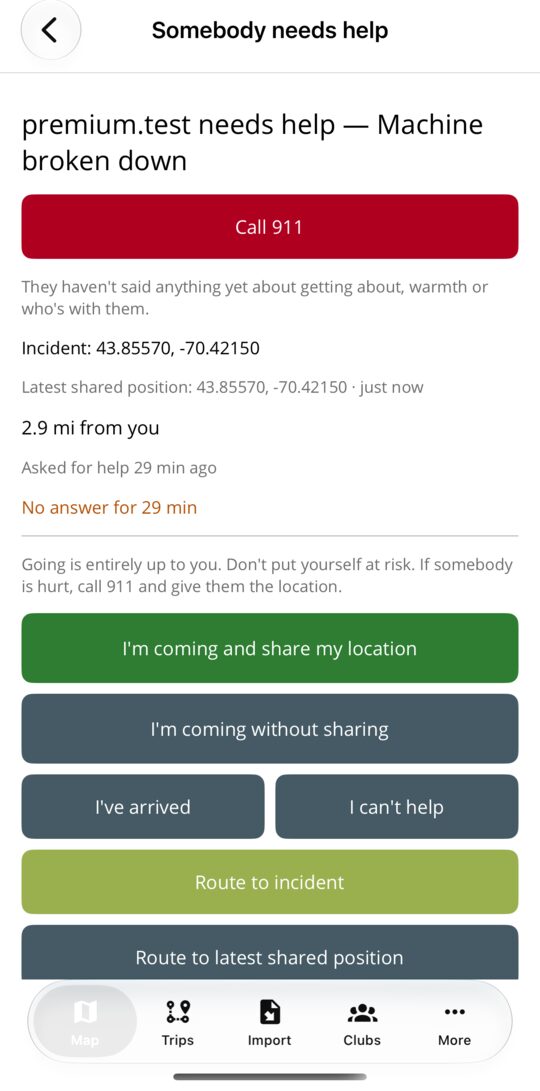
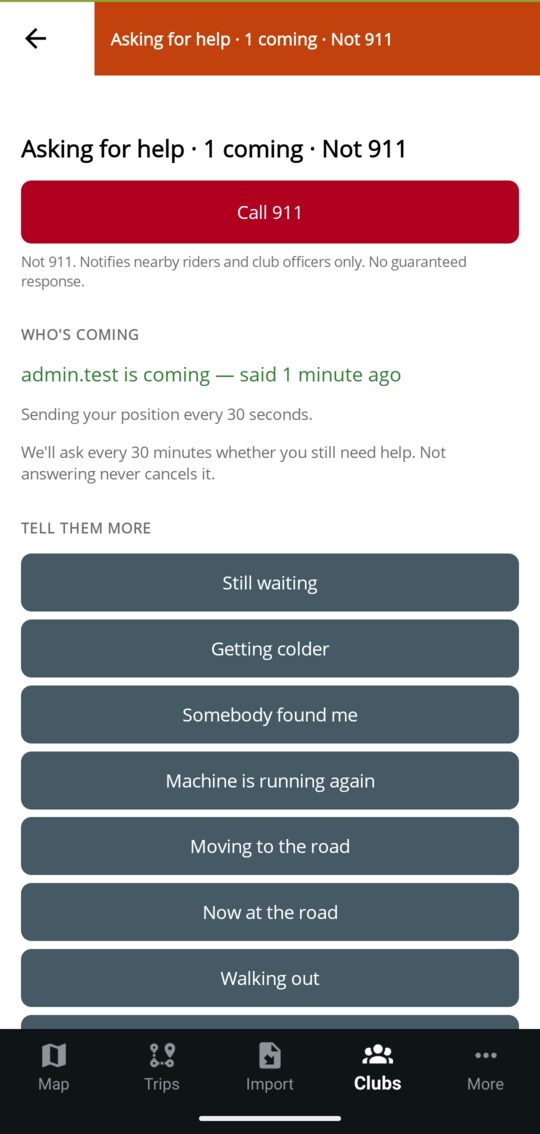
Not 911. Notifies riders and club officers only. No guaranteed response.
Call 911 and Text 911 come first on the screen. Then one required question: injury, machine broken down, stuck or rolled, through the ice, lost, out of fuel, fire, or other. Name what somebody should bring, add detail if you can, and attach your position. Sending is a slide or a countdown, with a few seconds to take it back.
A request can be composed offline. If it has to wait, the app says plainly that nobody has been notified until it sends, and taking it back while it waits cancels it outright.
Riders on that trail system, the officers and trail masters of the clubs that hold the ground, and anyone watching it are told. They see what is needed, can say they are coming, and route to the shared position without a guidance paywall.
The rider posts quick updates, sees who is coming, and ends the request in one tap. The app checks in every half hour. Missing a check-in never closes it; it only tells the officers once that the rider has gone quiet.
Raising a request spends an allowance. A free account gets one call, ever; Premium gets up to three a day; a request taken back in time spends neither. Hearing about a request, offering to go and ending one are never limited. An admin can hand a rider their free call back.
Availability: Need Help is built and tested, but it is not enabled for riders and is not part of the current launch offering. It will remain off until final safety-copy review and locked-screen Android notification checks are complete.
For clubs
Club officers import or draw trails, publish official information, mark the affected stretch from the field, and decide what riders send, from the app or from a browser. Riders help the club see what needs attention; the club keeps the record.
See the club workflow Read the club guideCore mapping, moderation, GPX/KML imports, and field updates are included. Advanced operations tools are in limited rollout and are discussed with each club before enablement. See what is coming for clubs, and how to try it first.
Availability
This matrix separates the Android and iPhone release from optional capabilities that are not yet purchasable and club tools that are still in limited rollout.
Android and iPhone, released together.
No subscription price is being advertised until Premium can be purchased. CarPlay is later this year.
Switched on club by club during rollout. Nothing is charged for them today, and no price has been decided. Ask to try one.
Maine and New England clubs
A trail file is helpful, not required. The onboarding form accepts partial information and returns you to the form after account creation.